
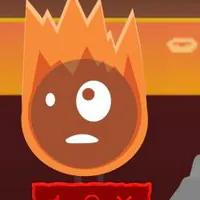
ELEMENTIBOX - Warm Like Fire – Play Online
Play ELEMENTIBOX - Warm Like Fire online. Drag flame sound icons onto the stage, mix animated performers, and reshape your Incredibox-style music.

















About the Warm Like Fire Music Game
- Category
- Simulator Games
- Platform
- Web browser
- Mode
- Drag-and-drop music mixing
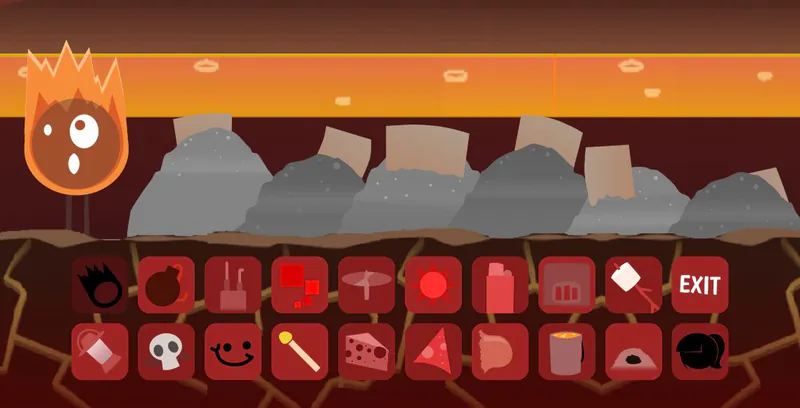
Warm Like Fire is an Incredibox-style browser music mixer built around fiery visual characters. The stage acts as your arrangement: sound icons become performers, and the characters animate as the mix plays. Its appeal comes from the quick connection between a visual choice and an audible change. You can try an idea, hear it, and revise it with a few movements. Players familiar with Sprunki will recognize the idea of assigning sounds to characters. Here, the flame theme and Warm Like Fire presentation give that familiar interaction its own identity. The supplied version displays Incredibox WARM LIKE FIRE; the separately released Regrilled sequel should be treated as a different version. Approach the mixer as a listening exercise. Keep a part you enjoy, introduce one new sound, and remove anything that masks the rest. The performer controls and ambience toggle make it easy to compare a dense arrangement with a simpler one. The gameplay videos below offer examples of the mod in action if you want to see how other players explore its sound palette.
How to Play ELEMENTIBOX - Warm Like Fire
Controls
Start with the green flag, then give yourself a moment to look at the stage and the two rows of sound icons below it. Choose one flame icon and drag it onto the stage. The new character animates and contributes a sound, turning your first placement into the beginning of a musical arrangement. Listen before filling more of the stage. Add a second sound and notice how it changes the rhythm or texture of the first. Continue one part at a time: a small arrangement is easier to understand, and you can decide which sounds work together by hearing their overlap. There is no need to know musical notation to begin experimenting. If the combination feels crowded, click the X beneath a performer and hear the remaining parts again. Removing a sound is as useful as adding one because it creates space for the others. Try the Mute ambience control when you want less background sound, then replace a performer with another icon to explore a different mood. A useful first session is one simple mix, one removal, and one new combination.
Game Features
- Fiery animated performers that respond to placed sound icons
- A visual stage for building an Incredibox-style arrangement
- Two rows of sound icons to explore through drag-and-drop mixing
- Individual performer removal for revising a crowded combination
- A separate background ambience toggle
- Browser play with a green-flag start control
Warm Like Fire Gameplay Videos & Walkthrough Guides
Warm Like Fire FAQ
How do I start the music mixer?
Press the green flag in the game window. Once the opening screen gives way to the mixer, use the sound palette beneath the stage to begin arranging performers.
How do the flame characters make music?
Drag a sound icon from the lower palette onto the stage. It becomes an animated performer with its own sound. Add sounds gradually so you can hear what each new part contributes.
How can I simplify a mix that sounds too busy?
Use the X beneath an active performer to remove that part. Listen to the smaller arrangement, then add a different icon if you want to change the texture instead of stacking more sounds.
What does Mute ambience do?
Mute ambience controls the background ambience. Try it when you want to hear the performer arrangement with less background sound; it is a separate control from removing a character.
Is Warm Like Fire similar to Sprunki?
The drag-and-drop music mixing will feel familiar to players of Sprunki and Incredibox-style mods. The game uses the Warm Like Fire identity; the creator also offers a separate Regrilled sequel, so the versions should not be treated as interchangeable.