
Shan Shui Infinite Online – Explore and Save Landscape Art
Shan Shui Infinite online lets you explore an endless Chinese landscape. Scroll through generated scenery, choose a new seed and save a view as SVG.



















About the Infinite Chinese Landscape Generator
- Category
- Simulator Games
- Platform
- Web browser
- Mode
- Generative landscape exploration
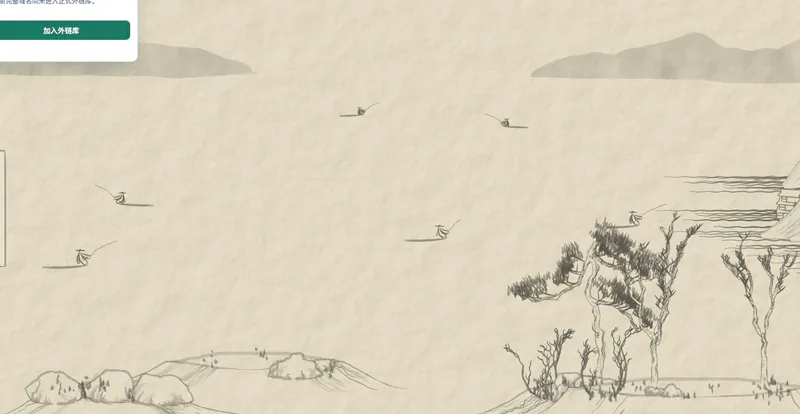
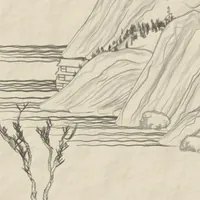
The supplied Shan Shui application builds an ever-expanding landscape from vector graphics and procedural generation. Its quiet interaction is browsing the composition rather than solving levels. Thin mountain contours, layered distant forms, trees and boats create a landscape that develops as you travel horizontally. This version is maintained in Megaemce’s Shan Shui repository. The project credits Lingdong Huang’s original shan-shui-inf and RedContritio’s earlier React port, and documents the controls, SVG download and sharing features of the current application. A dark-mode option is also available in this iteration. A seed identifies the generated setting, while the view range identifies the stretch of landscape you are looking at. Those two ideas serve different purposes: changing a seed gives you another scene, whereas moving or exporting a range works within the landscape you already have. The menu exposes both, making it possible to discover a composition and save a particular section of it. SVG export keeps the scene as vector artwork rather than a fixed-resolution screenshot. For casual exploration, use the on-screen arrows and enjoy the changing arrangement; for saving a composition, pause and choose the range deliberately. The same application supports both a short moment of browsing and a longer session of collecting views.
How to Explore Shan Shui Infinite Online
Controls
Explore Shan Shui Infinite online by moving along the landscape and watching how the composition changes. The scene stretches horizontally, combining distant mountain silhouettes with foreground trees, water and small figures. You set the pace: stop when a grouping of shapes catches your attention, then continue in either direction to find another view. Open Settings when you want more control over the session. The menu shows the current seed and the coordinates of the visible view. Its scrolling increment controls how far each step moves, and Auto-scroll provides a way to let the landscape travel without repeated button presses. Keep the current seed in mind if you want to return to a particular generated setting. Use the new-seed reload control for a different composition. That changes the generated landscape, so find or save a view you like before moving to a new seed. The landscape is a space to explore at your own pace; there is no score to maximize or finish line to reach in the displayed interface. To save a section, open the Save view controls and select its start and end positions. You can import the currently visible range instead of entering both boundaries manually. Choose a valid range with the start before the end, then use Download to save the art as SVG. The menu also offers Auto-load and a sharing-link action, so viewing, exporting and returning to a seeded scene are distinct options. Begin with a smaller section when you are learning the export controls. Once you understand how the range relates to the landscape, choose a wider section for a longer composition. The vector output is useful when you want to keep the linework clear while changing the size at which you view the saved art.
Game Features
- Infinite horizontal exploration of generated landscape art
- Layered mountains, trees, water and boat figures
- Keyboard arrows and on-screen navigation buttons
- Visible seed and new-seed landscape generation
- Selectable ranges for SVG export
- Auto-scroll, sharing links and a dark-mode option
{Shan, Shui}* FAQ
Is there a score or a final level?
The application is an infinite landscape-art generator. Its interface provides exploration, seed and export controls rather than a score counter or a sequence of levels to finish.
How can I move on a phone?
Use the visible left and right buttons beside the scene. The project also supports keyboard arrow keys when you are using a device with a keyboard.
What does the seed do?
The menu displays the current seed, and the loaded URL includes it. Use the new-seed reload control when you want a different generated landscape.
Can I download only the part I am viewing?
Yes. The Save view menu lets you choose start and end coordinates and import the current range. Download saves the selected artwork in SVG format.
Who made this version of Shan Shui?
The supplied version is maintained by Megaemce. Its repository credits Lingdong Huang’s original shan-shui-inf and RedContritio’s React port as earlier iterations of the project.