
Make an Object Show Scratch – Create Your Own Show
Make an object show Scratch project with Samlenny’s editable template. Add your own cast, customize team backdrops, and explore community remixes.
Start the original project on Scratch, then use See inside to build your own version.
Open the Scratch TemplateThe starting teams are empty. Add your own characters and inspect the parent’s Remixes for examples.












About Make Your Own Object Show!
- Category
- Simulator Games
- Platform
- Scratch / Web browser
- Mode
- Object-show creation template
- Developer
- Samlenny
Samlenny's Make your own object show! is a parent Scratch project intended as a starting point for customization. The inspected editor contains eight backdrops and one sprite named Thumbnail, while the visible opening stage has blank team areas. Those elements provide a presentation framework; you supply the objects, character designs and any additional show logic. The parent does not provide written Instructions or Notes and Credits describing a finished competition. Its starting stage does not establish automatic voting, eliminations, scoring or episode generation. If you want those systems, inspect the code and develop them in your own version rather than expecting a complete competition to run immediately. The Remixes collection includes projects such as Make your own Mixel Battle, Make Your Own D.E.R.P. 2.0 and Make your own Object Island!. They are independent community versions of the parent framework. Viewing them can help you compare casts, team arrangements and presentation styles before designing your own show.
How to Use the Make An Object Show Scratch
Controls
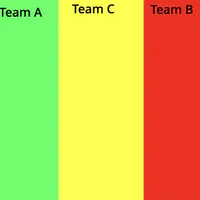
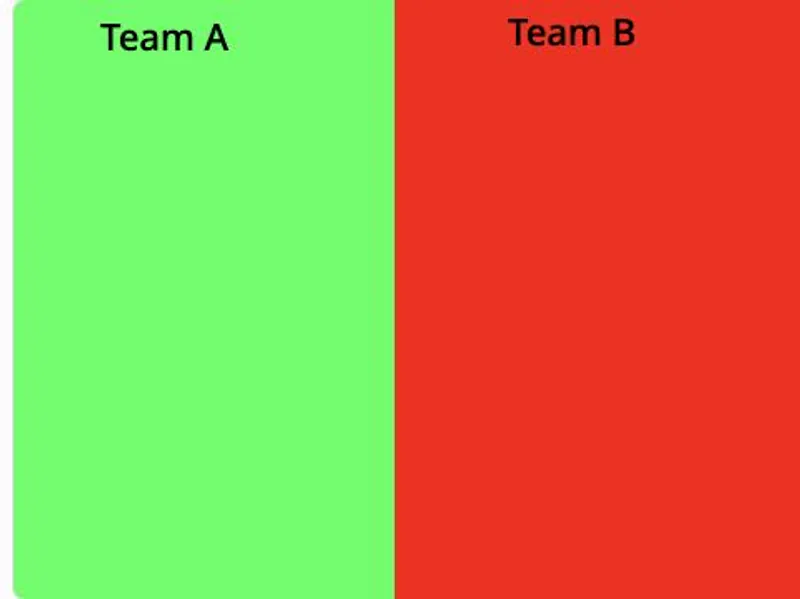
Open the original project on Scratch and start it to see how the team stage is arranged. The starting layout contains empty green Team A and red Team B areas. This is a framework for your own show, so the absence of contestants is part of the starting material you build on. Change the stage layout to inspect another arrangement, including a scene with Team C. Use See inside to examine the project before planning your cast. The editor exposes Code, Costumes and Sounds, a backdrop collection and sprite controls. In your own editable version, choose or upload object characters, adjust their appearance and place them around the team areas. Inspect the existing backdrop sequence before changing the labels or adding your own episode presentation. Look through the parent project's Remixes for examples of how other creators have filled the framework with their own ideas. Choose a version that suits your intended format, then read that project's instructions. A remix can change the original project's controls and behavior, so use its own guidance rather than assuming every show plays identically.
Game Features
- Editable parent project by Samlenny on Scratch
- Empty starting team areas for your own contestant cast
- Eight backdrops visible in the template editor
- Sprite, costume, sound and backdrop editing tools
- Linked community Remixes with independently customized shows
Make an Object Show Scratch FAQ
Why are the teams empty when I start?
The original is a creation template. Its opening Team A and Team B areas are blank so you can supply your own object characters and build the show around them.
How can I see other creators’ versions?
Open the Community Remixes link below. The parent collection includes independently customized projects such as Mixel Battle and Object Island, each with its own cast or presentation.
Which parts can I customize?
The Scratch editor exposes sprites, Code, Costumes, Sounds and backdrops. Start by adding your own object cast and editing the team layouts in your own version.
Does the original template automatically run eliminations?
A complete elimination or voting system is not established by the original stage or its empty instructions. Inspect the project code and add the behavior your own show needs.
Do all remixes use the same controls?
No shared control scheme is guaranteed for independently edited remixes. The parent starts with the green flag and changes backdrops with Space; check each remix’s own instructions.