Leonida GitHub – GTA VI-Style Browser Sandbox
Play Leonida GitHub in your browser for free. Explore a low-poly Vice City, drive and carjack cars, fight police, rob stores, visit the casino, and play eight story missions.











A GTA VI-Style Sandbox Built in the Browser
- Category
- Arcade & Action
- Platform
- Desktop Chrome, Edge, or Firefox with WebGL2
- Mode
- Single-player open-world crime sandbox
- Developer
- bridge-mind
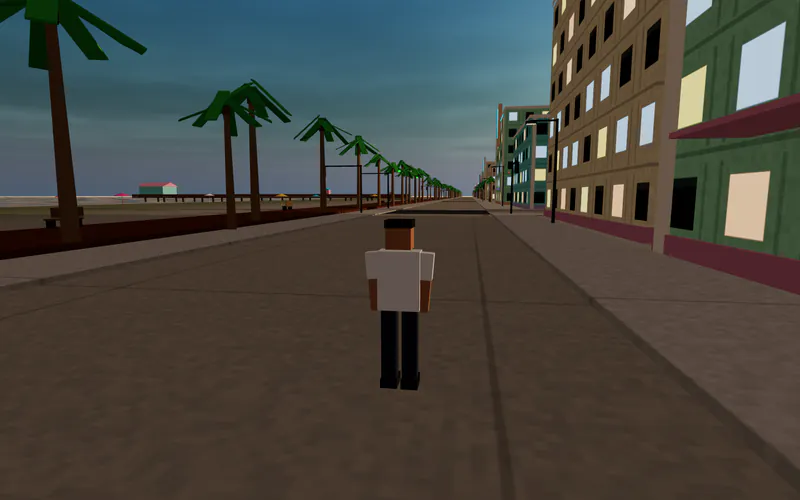
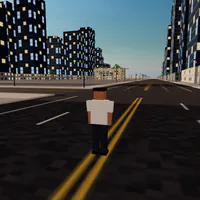
LEONIDA is a non-commercial fan project that turns the idea of a GTA VI-style crime sandbox into a small, code-generated browser game. The 2 km by 2 km map contains six districts, highways, a causeway, water, traffic, pedestrians, and a 24-minute day/night cycle. Buildings, cars, people, and audio are generated from code rather than downloaded Rockstar assets.
The systems reach further than a simple driving demo. On foot, you can sprint, jump, switch between Lucia and Jason, use a weapon wheel, fire six weapon types, and trigger an adrenaline slowdown. In a vehicle, you can carjack traffic, damage cars until they catch fire, shoot from the driver's window, or lead a six-star police pursuit through police cruisers, SWAT, helicopters, roadblocks, and spike strips.
Money connects several activities. Hold up pedestrians or stores, sell a stolen car at the chop shop, buy guns at Bullet Barn, eat, try the casino, or play blackjack, roulette, slots, and the Lucky Wheel. The story adds eight missions with cutscenes, and completion unlocks repeatable jobs.
The game is designed for desktop Chrome, Edge, or Firefox with WebGL2 and a keyboard and mouse. Mobile play is not supported. Interiors can currently hide the player and nearby people when you first go inside, so treat that as a known rough edge rather than a finished system.
Districts You Can Explore
Three places to explore in LEONIDA.
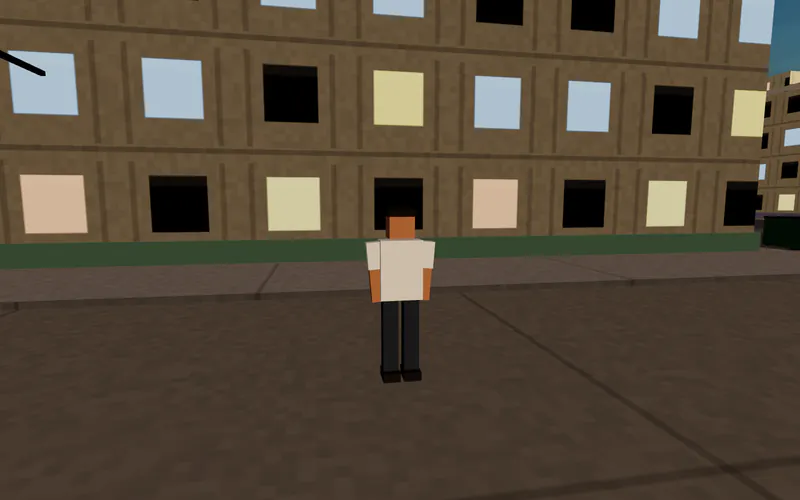
Bay Road
A coastal road where you can drive beside the water and city buildings.
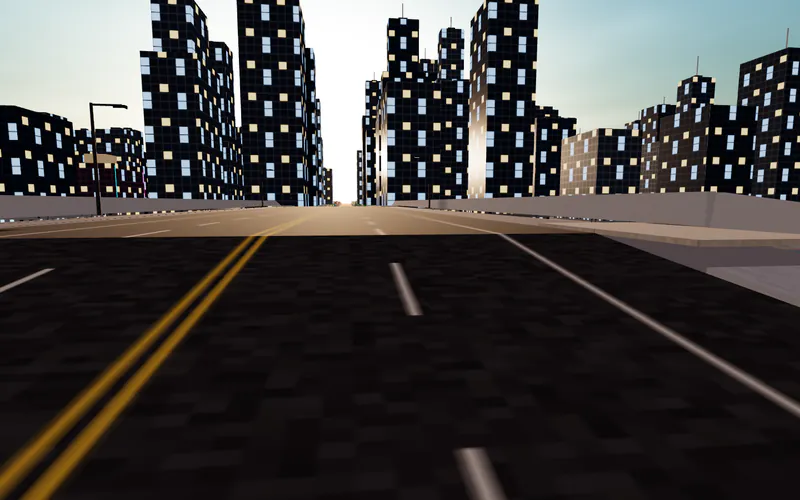
Causeway
A causeway crossing the water toward the Vice City skyline.
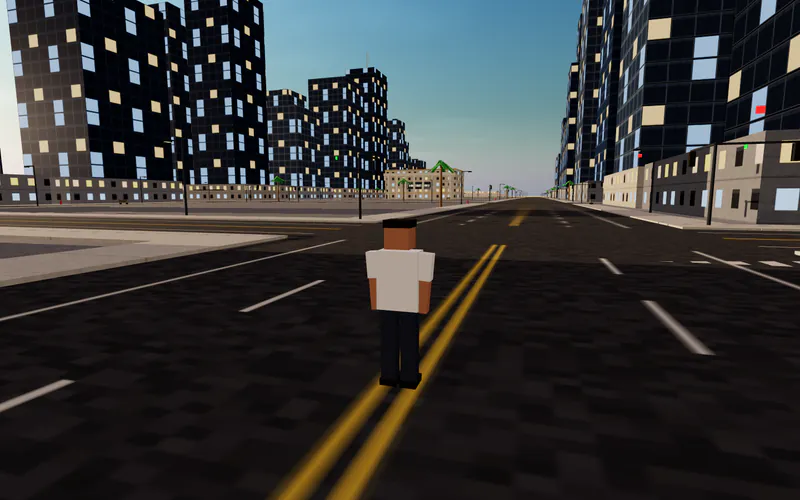
Downtown
A dense downtown block surrounded by streets and palm trees.
How to Play Leonida GitHub
Controls
Click Play Now above to open LEONIDA in the browser player, then click the game canvas once so the mouse is locked and your keyboard controls the character. The opening screen drops you into a low-poly version of Vice City with streets, traffic, pedestrians, water, and a working minimap. Start on foot: use WASD, move the mouse to look, and press Shift when you want to cross a road quickly.
Press F beside a car to take it. In a vehicle, W and S handle throttle and brake, A and D steer, and Space swings the back end around with the handbrake. Drive carefully before you drive fast; traffic and damage are active, and a serious crash can turn smoke into fire before the car explodes.
The minimap is your fastest route into the sandbox. Open M for the full map, click a destination, and use the phone with the up arrow for contacts and the in-game apps. Robberies are one way to make money: aim at a pedestrian to demand cash, or hold up a store clerk and leave before the police close in. A stolen car can also be sold at the docks chop shop.
The build is ambitious but unfinished. Interiors can currently hide the player and nearby people when you first go inside, and several systems are still rough around the edges. Treat the first session as exploration plus a test drive, not a polished campaign. The eight-mission story, six-star police response, casino, weapons, and repeatable jobs are all present, and the game is still being improved.
Game Features
- A 2 km by 2 km stylized Vice City with six districts
- On-foot movement, combat, weapon wheel, phone, map, and character switching
- Traffic, carjacking, vehicle damage, police chases, SWAT, and helicopters
- Store robberies, pedestrian robberies, chop-shop sales, and a casino
- Eight story missions plus repeatable post-story jobs
- A 24-minute day/night cycle and a generated low-poly world
- Desktop browser play with a known interior visibility issue
LEONIDA Gameplay and Browser Sandbox Videos
Watch an independent overview of the LEONIDA browser build before starting your own session.
LEONIDA Questions
What is the Leonida GitHub game?
LEONIDA is a free, non-commercial open-world crime sandbox that runs in a desktop browser. It combines Three.js, Rapier physics, generated vehicles and pedestrians, combat, driving, robberies, a casino, and an eight-mission story into a small Vice City-inspired map.
Is Leonida an official GTA VI game?
No. LEONIDA is an independent fan project and is not affiliated with Rockstar Games or Take-Two. It uses no Rockstar assets, logos, fonts, or music; Grand Theft Auto and GTA are trademarks of Take-Two Interactive.
What should I do in my first Leonida session?
Click the game canvas to lock the mouse, explore on foot with WASD, and press F beside a car for your first drive. Open M to place a map waypoint, use the up arrow for the phone, and try a short robbery or store interaction before attempting a longer mission.
Can I steal cars and lose the police?
Yes. Press F beside a vehicle to enter or carjack it, then use the roads, handbrake, and map to escape. A wanted level brings police cars and later SWAT, helicopters, roadblocks, and spike strips; a respray can clear the pursuit for a price.
Why can the player disappear inside buildings?
The current build has a known interior issue: when you first go inside, the player, pedestrians, and pickups can become invisible. If that happens, leave the interior or refresh the browser tab and continue playing. It is a rough edge in an unfinished build, not a finished system.
Who made Leonida, and where can I play it?
LEONIDA is made by bridge-mind and published on GitHub. You can play it at https://bridge-mind.github.io/leonida/ on desktop Chrome, Edge, or Firefox with WebGL2 support.