
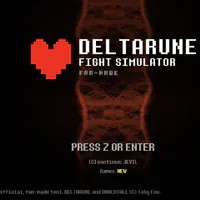
DELTARUNE Fight Simulator Game – Bosses, Filters & Controls
DELTARUNE Fight Simulator game lets you browse fan-made encounters, filter boss and chapter lists, then open a browser battle with keyboard controls.
Open the fan-made encounter simulator on DeltaruneSim.
Play Now


















A Fan-Made Encounter Browser for DELTARUNE
- Category
- Arcade Games
- Platform
- Web browser
- Mode
- Fan-made encounter simulator
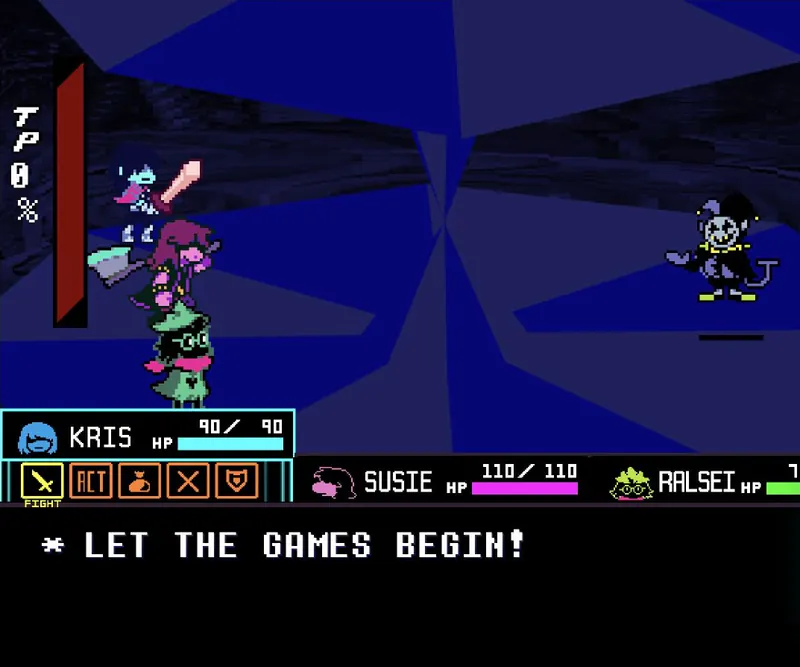
DELTARUNE Fight Simulator is an unofficial fan-made browser tool, not the Toby Fox game itself. Its footer credits DELTARUNE and UNDERTALE to Toby Fox. The simulator focuses on choosing an encounter, browsing the available list and opening a selected battle. The selector groups entries under ALL, BOSS, chapter filters CH1 through CH5, UT, CUT and CUSTOM, with a search field for specific fights. The list includes encounters such as Jevil, Lancer, Clover and K.Round, though the selection may change over time. A Jevil encounter pairs Kris, Susie and Ralsei with FIGHT, ACT and item actions. Arrow keys move through menus, Z or Enter confirms, and X closes a panel. Ctrl+K opens search, while [ and ] switch simulator tabs. Follow each battle’s on-screen choices rather than assuming every encounter has the same actions.
How to Use DELTARUNE Fight Simulator Game
Controls
Click Play Now above to open the simulator. Start from the encounter list, narrow it with a chapter or boss filter, or use search to find a fight. Select an entry to load its battle. The Jevil encounter shows FIGHT, ACT and item choices alongside Kris, Susie and Ralsei. Move through the options and confirm a visible action. The control panel lists the keys above; individual fights may offer different choices.
Game Features
- Browse ALL and BOSS encounter filters
- Filter chapter fights from CH1 through CH5
- Search for named encounters such as Jevil or Lancer
- Open a fan-made browser battle from the encounter list
- Jevil encounter includes FIGHT, ACT and item choices
- Use keyboard movement, confirmation and search controls
Encounter Selection and Controls FAQ
Where can I play the DELTARUNE Fight Simulator game?
Click Play Now above to open DeltaruneSim in a new tab. The browser site presents an encounter selector where you can search or filter the list and open a battle without installing a separate game.
Is DELTARUNE Fight Simulator an official Toby Fox game?
No. The simulator describes itself as an unofficial fan-made tool, and its footer credits DELTARUNE and UNDERTALE to Toby Fox. It is separate from the official DELTARUNE release and is not presented as an endorsed product.
How do I find a specific boss or chapter encounter?
Use ALL, BOSS, CH1–CH5, UT, CUT or CUSTOM to filter the encounter list, then search for a name. The selector includes encounters such as Jevil, Lancer, Clover and K.Round, though the available list may change.
What keyboard controls are available?
Arrow keys move through options, Z or Enter confirms, and X closes an open panel. The simulator tools also show Ctrl+K for search and the [ and ] keys for switching between tool tabs.
What can I do once a battle starts?
The Jevil battle offers FIGHT, ACT and item choices with Kris, Susie and Ralsei. Move through the displayed actions and select one; options can vary with the encounter you choose.