
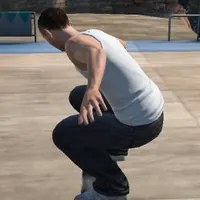
Skate 3 Browser Online – Play the Fan Game
Skate 3 Browser Online opens a fan-made browser player. Learn its own-copy requirement, Freeskate startup, WASD steering and arrow-key trick inputs.


















Skate 3 in Browser: Fan Project and Freeskate
- Category
- Sports Games
- Platform
- Web browser
- Mode
- 3D skateboarding / Freeskate
- Developer
- aaddpp / Asher
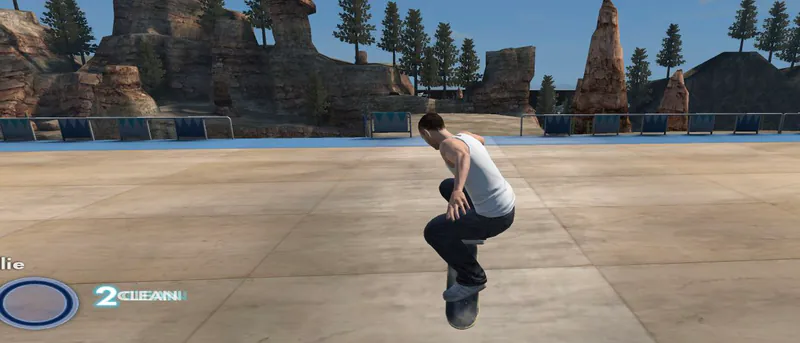
Skate 3 Browser Online is an unofficial fan project rather than an official EA release. Its opening notice says it is not made, endorsed or supported by Electronic Arts or Black Box, and that it runs the engine while you supply your own legally owned, converted copy of the game. Freeskate drops you into an outdoor 3D scene viewed from behind the skater, so the first goals are simple: get into the environment, learn the steering and land a basic trick. A short down-then-up arrow flick is a good way to practice an Ollie on a keyboard. The project maps keyboard keys onto the console controls. WASD handles steering while the arrow keys replace the right stick. Timing matters when you switch from a held direction to a quick trick motion; watch the skater and the trick indicator to judge each attempt. Startup takes a while, and the project has its own limits. Keep the tab open while it loads, and if the player never reaches a playable scene, use the project's help rather than expecting every console feature, device or online mode to be available. You can open the fan-made player above, but the own-copy requirement still stands: the browser can start the engine, yet you still need a converted copy of Skate 3 to actually skate.
How to Start Skate 3 Browser Online
Controls
Click Play Now to open the browser player, then click inside the game area so it takes your keyboard input. Read the launch notice first: this is an unofficial fan project, not made, endorsed or supported by Electronic Arts or Black Box, and you bring your own legally owned copy of Skate 3, converted on your own machine. Continue past the notice and let the game data finish loading. The first load is the slow one, so keep the tab open and wait. The loading screen is a normal part of startup; opening the player does not mean a fresh browser already has everything it needs. At the start prompt, press Enter to reach the menu, then choose Freeskate and confirm. The menu also shows World and Difficulty, so set those if you want a different scene or challenge. Wait for the environment to finish loading before you try to move. Begin on open ground and get a feel for steering. WASD drives, and the arrow keys stand in for the right stick. Treat the arrow keys as flicks rather than directions you hold. Try a simple Ollie before attempting a longer trick. Flick the down arrow and then the up arrow to attempt one, then watch the skater and the trick label and adjust your timing on the next attempt. Flat, clear ground makes it easier to see what your input did. When basic movement feels natural, pick a short line through the scene, attempt a trick and watch the landing, building the line one action at a time. Repeating an input on flat ground gives you a clearer comparison than charging straight at an obstacle. For help with this project, use its community or contact links. The start screen says your settings are saved in this browser, so a different browser or profile will not carry them over. The video below shows this same website, not a console version.
Game Features
- Browser-based unofficial skating fan project
- Freeskate menu with visible World and Difficulty choices
- Third-person outdoor 3D skating scene
- WASD steering and arrow-key right-stick-style input
- Keyboard down-to-up Ollie practice
- Settings saved in your browser
- Community gameplay video from the matching website
Skate 3 Browser Gameplay Video
Watch jaye try the same browser fan project and show its skating scene.
Skate 3 Browser Online FAQs
Where can I try Skate 3 Browser Online?
Click Play Now above to open the fan-made player. Read its launch notice, prepare your own legally owned and converted game copy, and let loading finish.
Is this an official EA browser release?
No. It is an unofficial fan game, not made, endorsed or supported by Electronic Arts or Black Box.
How do the keyboard trick controls work?
The game tip assigns WASD to steering and the arrow keys to right-stick-style inputs. A short down-arrow flick followed by up-arrow can be used to attempt an Ollie.
Why does the game take time to start?
Game data streams from your converted copy, and the first load is the slow one. Keep the tab open while loading and wait for the selected scene before skating.
Where can I ask about this browser project's problems?
Use the project site's Discord link or the contact shown in its launch notice. These are the support routes for this fan project rather than an official EA browser service.