
Brisbane Streets Game - Free Browser City Sandbox
Play the Brisbane Streets game online for free: ride an e-scooter, drive, take the bus, complete missions and manage a rising wanted level in an open Brisbane city sandbox.








Explore Brisbane in a Free Browser City Sandbox
- Category
- RPG & Adventure
- Platform
- Desktop web browser
- Mode
- Free-roaming Brisbane city sandbox with solo and online play
- Developer
- @SohybQS
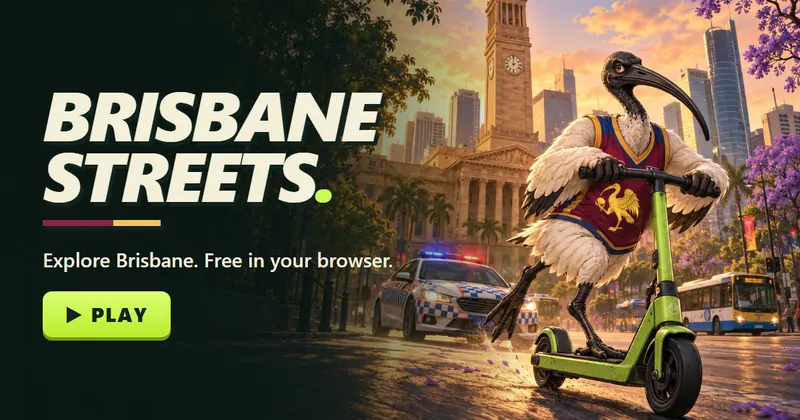
Brisbane Streets turns the Australian city into a compact open-world playground. You can move through the city on foot, ride an e-scooter, steal and drive cars, take the bus and handle a CityCat on the river. Missions provide structure, while the map, radio stations, outfits and night toggle encourage you to keep experimenting after the first objective.
Combat uses everyday Brisbane props as weapons. A weapon wheel holds thongs, a bat and a boomerang, alongside unarmed punches, blocks and dodges. Police escalate from a basic pursuit to heavier responses, which makes hiding and breaking sight lines part of the city game.
You can explore alone, or try the clearly labelled online beta with other players. @SohybQS created the game, and it runs free in the browser without an installation.
How to Play Brisbane Streets Game
Controls
Click Play above to open Brisbane Streets. After the countdown, the game opens in a new tab. Wait for the city to load, then choose Play for the main game or Play Online (BETA) to join other players.
Start on foot and use the mouse to look around. Approach a parked car or e-scooter and press E to take control. WASD handles both walking and driving, while Shift changes from sprinting to a handbrake and Space becomes the vehicle brake or scooter-wheelie control.
Press J to open the mission list and M for the city map. Missions send you across Brisbane by road, bus or CityCat, so use E whenever a vehicle or interaction prompt appears. You can also give $2, call Triple Zero, change outfits and move the world to night.
If a fight starts, punch with F, block with Q, dodge with Ctrl and hold Tab to choose a thong, bat or boomerang. Police attention rises through five levels. Break line of sight and stay hidden for 15 seconds to lose a star.
The online beta adds chat, voice chat and shared city activities, including cars and CityCats. The game is free and needs no download, but the full control set is designed for a keyboard and mouse.
Game Features
- Free-roaming Brisbane map in a browser
- E-scooter, cars, buses and CityCat travel
- Mission list, city map and night toggle
- Thongs, bats and boomerangs in a weapon wheel
- Five-level police response with a hiding mechanic
- Solo play and a separate online beta
- Outfit changes, radio stations and interactive city details
Brisbane Streets Game FAQ
What is Brisbane Streets?
Brisbane Streets is a free browser city sandbox created by @SohybQS. Explore Brisbane on foot, ride a scooter, drive cars, take public transport, complete missions and deal with a rising police response.
Who created Brisbane Streets?
Brisbane Streets was created by @SohybQS. The free game runs in a browser with no separate download. You can play it at https://brisbane-streets.pages.dev/.
Can I play Brisbane Streets with other people?
Yes. Brisbane Streets has a separate Play Online beta with chat, voice chat, cars and CityCats. The standard Play option starts the main city experience for a solo player.
What vehicles can I use in Brisbane Streets?
You can ride an e-scooter, drive cars and take the bus. CityCat river travel is also available. Approach a vehicle and use E to enter, with Shift and Space changing how its brakes and wheelies behave.
How does the police wanted system work?
Police attention runs from one to five stars, escalating from ground officers to Glocks, SERT and POLAIR. Break away from the pursuit and stay hidden for 15 seconds to drop a wanted star and reduce the pressure.
What are the main Brisbane Streets controls?
Use WASD to move or drive, the mouse to look, Shift to sprint and Space to jump or brake. E handles vehicles and interactions, F punches, Q blocks and Ctrl dodges. Hold Tab for weapons, J opens missions and M opens the map.