
Tuffymon – Play Online & Draft a 110–0 Challenge Team
Tuffymon turns six random generation-and-type picks into a 110-trainer challenge. Play online, choose a difficulty and check how your drafted team performs against the gauntlet.


















Six Picks Before the Trainer Gauntlet
- Category
- Role-Playing Games
- Platform
- Web browser
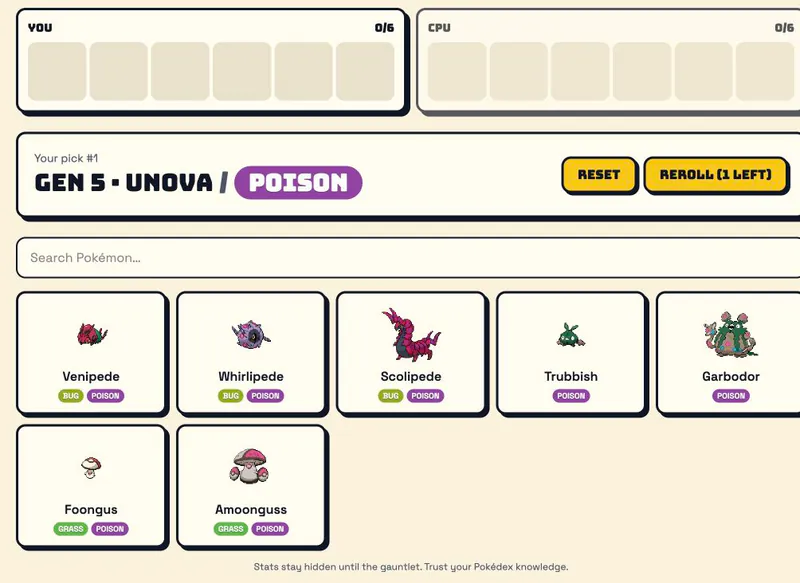
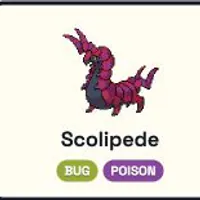
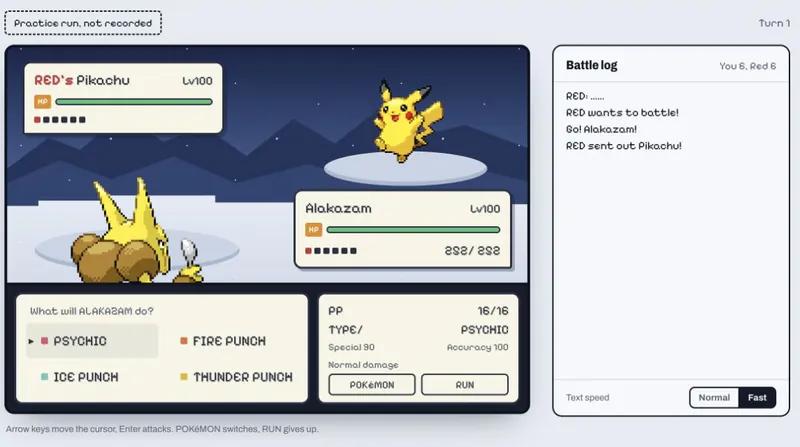
TuffyMon is a fan-made Pokémon draft game built around a demanding target: a six-member team facing 110 gym leaders, Elite Four members and Champions. Random generation and type rolls make the draft the central decision in every run. The three difficulty settings change what you can see while choosing. Normal shows every Pokémon with its name and type; Hard removes names and types and shows silhouettes; Tuffest hides the choices and asks you to type the exact name. Your knowledge of the Pokémon roster becomes part of the challenge. The 110–0 challenge is separate from the draft-battle modes. It offers Solo Run, same-screen Head-to-Head and Vs CPU. CPU PvP and same-screen PvP Head-to-Head use a snake draft, where each side picks six Pokémon before the two teams fight. Online Head-to-Head and Online PvP are currently labelled Coming Soon. Guest stats and teams are stored on the current device. Signing in keeps them available on any device. Favorites, a Hall of Fame and weekly and all-time leaderboards give returning players a way to track notable teams and standout records. TuffyMon is unaffiliated with Nintendo.
How to Draft a Team in Tuffymon
Controls
Click Play Now to reveal the game, then choose a difficulty and mode. Normal is the best place to start because it shows every Pokémon with its name and type. Regular Vs CPU lets you draft against the computer, while Solo Run gives you a personal attempt at a perfect record. Each roll gives you a generation and a type, followed by the Pokémon you can choose from. Pick one Pokémon from the set and repeat until your side has six members. In Regular Vs CPU, the computer picks between your turns, and both six-slot team panels fill as the draft goes on. Do not assume the next set will match the last one, because each pick presents a new random generation and type. Plan as your team grows. Normal shows names and types, while stats stay hidden until the gauntlet. A search field appears when the candidate set is large, and smaller sets may appear without one. A Regular Vs CPU draft shows one remaining Reroll, which replaces the current roll instead of choosing from it, so save it for a roll you really want to change. When the Regular Vs CPU draft finishes, the game calculates the result and shows your win/loss record with a trainer-by-trainer badge breakdown. This stage judges the team you assembled; you do not choose an attack on every turn. Review the defeated and lost trainers to see where your team succeeded and where it struggled. Start a new draft when you want another attempt. Solo Run offers three runs a day in each of the three difficulties, nine in total. Learn the visible Normal pool first, then try Hard’s silhouettes or Tuffest’s exact-name challenge when you want less information during selection.
Game Features
- Six Pokémon picks based on random generation and type rolls
- A 110-trainer gauntlet of gym leaders, Elite Four members and Champions
- Three difficulty levels: Normal names, Hard silhouettes and Tuffest exact-name entry
- Solo Run, same-screen Head-to-Head and Vs CPU modes
- Final win/loss records with defeated and lost trainer breakdowns
- Guest stats on your device, optional sign-in for cross-device saves, Favorites and leaderboards
TuffyMon Gameplay Videos
Daily Drafts & Perfect-Record Challenge
Where do I start playing Tuffymon?
Click Play Now above to reveal the game, then choose a difficulty and mode. Normal shows the candidates clearly, so it is a practical starting point before you try silhouettes or exact-name selection.
What changes between Normal, Hard and Tuffest?
Normal shows every Pokémon with its name and type. Hard offers silhouettes without names or types. Tuffest hides the choices and requires you to type the exact name yourself.
What is the Reroll button for?
It replaces the displayed generation and type roll when a reroll is available. A Regular Vs CPU draft shows one remaining reroll, so decide whether to use it or keep the current options.
How many solo attempts are available each day?
Solo Run offers three attempts in each difficulty. Across Normal, Hard and Tuffest, that makes nine solo runs per day in total.
Do I control individual moves against all 110 trainers?
No. In Regular Vs CPU mode, the game calculates a record after your six-member draft and shows defeated and lost trainers. Your decisions are the draft picks, not manual move choices in each battle.