

Martin No Filter Fighting Game – Play the Fan Fighter Online
Play Martin No Filter Fighting Game, the free browser fan fighter with 11 characters and 9 stages. Pick a fighter and sidekick, learn combos, and use Bob’s Hype.
















Martin No Filter Fighters: Teams, Modes & How It Plays
- Category
- Arcade Games
- Platform
- Browser; Windows and Linux/Steam Deck downloads
- Mode
- Solo, local versus and room-code online versus
- Developer
- TDHampton Productions / Trey2k23
- Status
- In development
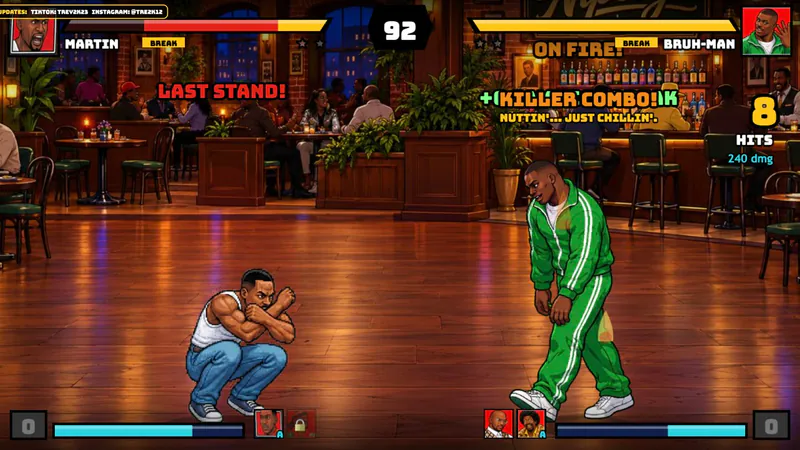
Martin No Filter Fighting Game is Martin: No Filter Fighters, a free 2D fan game from TDHampton Productions / Trey2k23. It turns the sitcom’s characters, arguments and running jokes into fighter-and-sidekick matches. If you are looking for a Martin game or a Martin Lawrence video game, this is the browser fighting tribute starring Martin, Gina, Pam, Cole and Tommy—not an official licensed release.
The roster has eleven fighters: Martin, Gina, Pam, Cole, Tommy, Sheneneh, Varnell Hill, Dragonfly Jones, Jerome, Bruh-Man and Bob from Marketing; this guide reflects in-browser build v13.2. The fighter you control and the sidekick you call are chosen separately, and all four characters in a match must be different. Your support pick matters as much as finding a familiar face: the roster cards below name each character’s actual assist and signature supers.
Bob is more than another portrait. Dancing builds Hype that powers up his next pizza. Pizza Delivery, Office Slide, Party Spin and the Networking Opportunity handshake throw give him several ways to attack. His supers are What’s Happening?! and This Party Is Out of Control! When that second super’s phone rings, the developer’s tip is to jump. His arena, The Corporate Party, has its own theme.
The nine stages are more than backdrops. Wall breaks can send a fight to a different arena, and the game also lets uppercuts break through the ceiling and slams break through the floor. Martin’s Apartment sits directly below Bruh-Man’s Fifth Flo’. Reorient yourself after a transition: the scene may change while you are still recovering your spacing. The gallery separates all nine stage backgrounds so you can recognize them before a match.
Pick Arcade for a ladder of rivals, Story Mode for narrative fights, Training to learn a character, or CPU Showcase to watch computer-controlled action. Versus is the local two-player option; Online Versus uses a room code to connect with a friend. Reveal Theater collects the new-fighter reveals, and Settings handles key and controller remapping. The mode menu also lets you change CPU difficulty before confirming a selection.
A first session gets easier once you separate health from super meter. Either normal super spends one bar; a sidekick call while blocking becomes Crossover and costs half a bar. Save three bars and press both super inputs for No Filter Finish, or spend earlier on a simpler attack you know will connect. The pause screen shows the selected fighters’ move names, so it beats memorizing a generic move list.
This is a free, non-commercial fan tribute still in development. TDHampton Productions states that it is not affiliated with or endorsed by the show’s creators, cast or networks. Older videos may show a smaller roster and fewer stages, so use the current eleven-character roster, nine arenas and controls on this page when you start playing.
Meet All 11 Fighters
Choose a main fighter and a different sidekick. These original in-game portraits show the roster; the move notes below help you decide who to try next.

Martin
Big Gulp Buster, YSC Combo and Mic Drop. His sidekick attack is Big Gulp Assist.
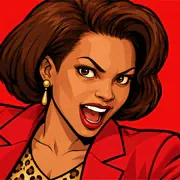
Gina
Handbag Havoc and Brass Bed Beatdown, with a Shout Assist when chosen as support.

Pam
Pam’s Big Read and Party Over Here!, backed by Groove Assist as a sidekick.

Cole
Spoon Storm and Big Shirley supply the comedy; Spoon Assist is his support attack.

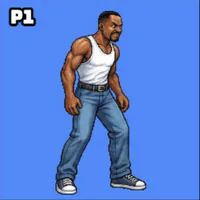
Tommy
Job Roulette and Employee of the Month turn the running job joke into supers. Support: Card Assist.

Sheneneh
Oh My Goodness! and Beauty Salon Blowout. Pick her as a sidekick for Hoop Toss Assist.

Varnell Hill
Seafood Slap and Catfish Cannon, plus Fish Wave Assist when used as support.
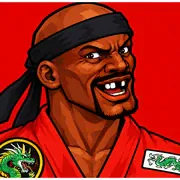
Dragonfly Jones
KENJI, ATTACK! and Spirit of the Dragonfly, with Mini Dragon as his assist.
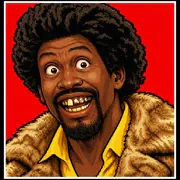
Jerome
Ice attacks, Avalanche Row and Jerome’s in the House! His support move is Ice Shard Volley.
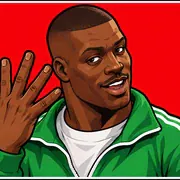
Bruh-Man
Sammich Toss, Slo-Bop Sammich Storm and From the Fifth Flo’! He can also toss sammiches as support.
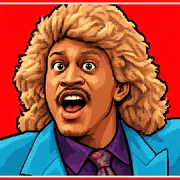
Bob from Marketing
Bob dances to build Hype, throws pizza and brings This Party Is Out of Control!
Explore All 9 Stages
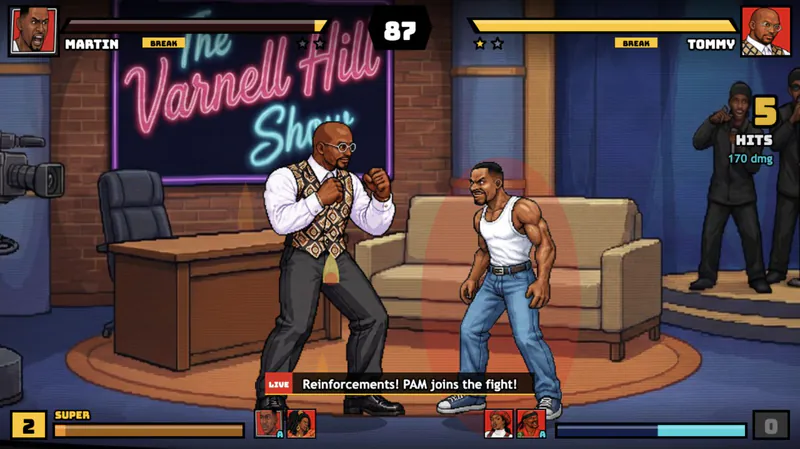
Browse the original arena backgrounds, from the talk-show set to Bob’s Corporate Party. These images show the stage artwork without fighters or HUD; an actual match adds the combatants, health bars and meters.
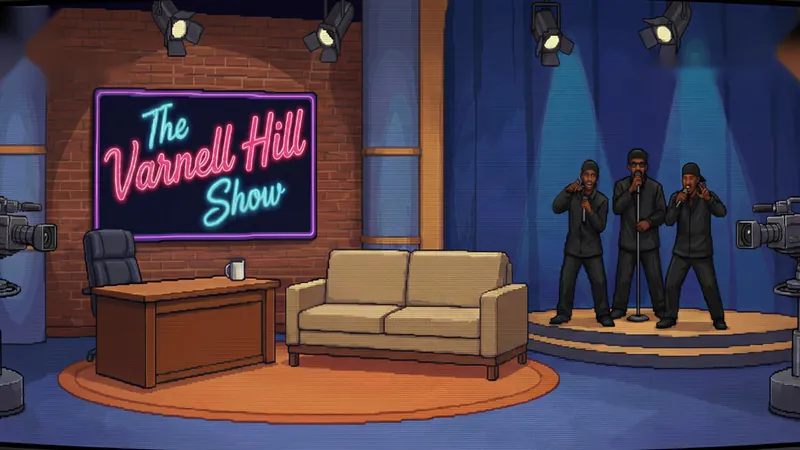
The Varnell Hill Show
The talk-show set, with a desk, couch and skyline backdrop.
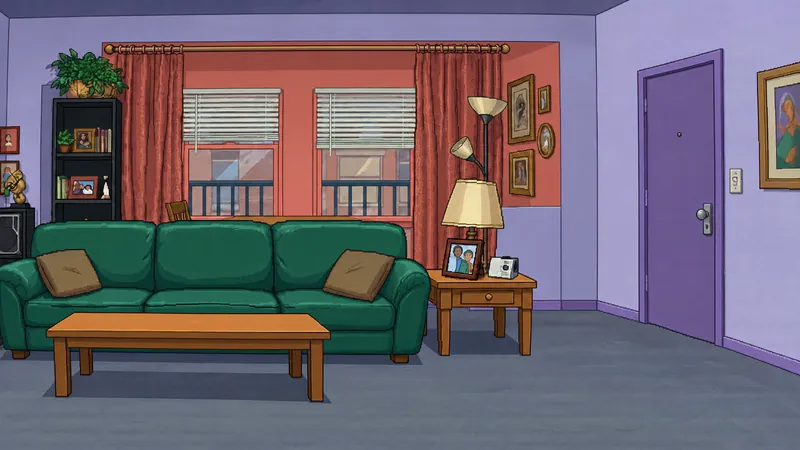
Martin’s Apartment
The familiar living room with a green couch. The Fifth Flo’ is directly above it in the stage-break system.
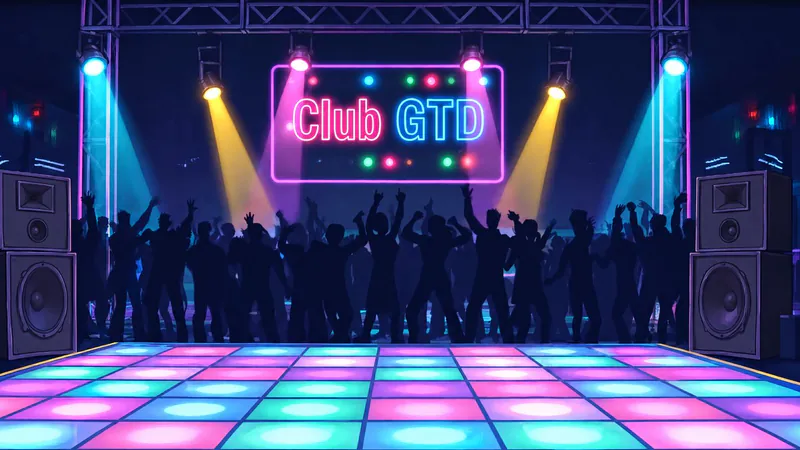
Club GTD
A bright dance floor, stage lights and crowd silhouettes.

Sheneneh’s Salon
A colorful salon interior with styling chairs and mirrors.

Nipsey’s
A wood-floored bar, lit signs and booths behind the fighting space.

Dragonfly’s Dojo
A martial-arts room with a dragon emblem and lanterns.
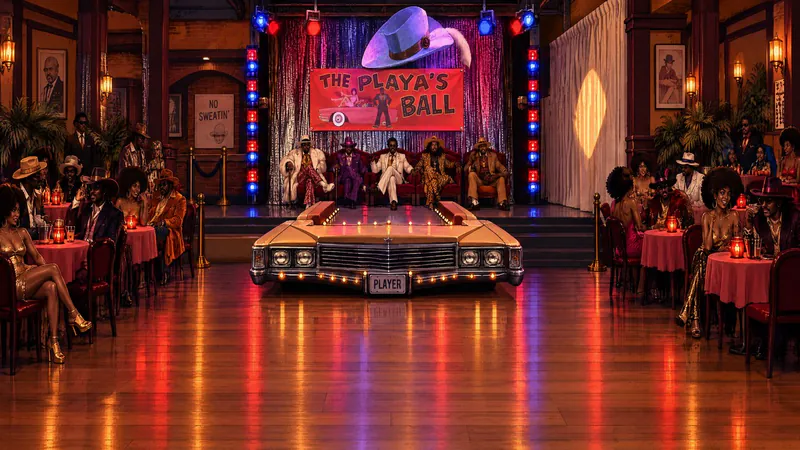
The Playa’s Ball
A red-lit party hall with a stage, round tables and the Playa’s Ball sign.
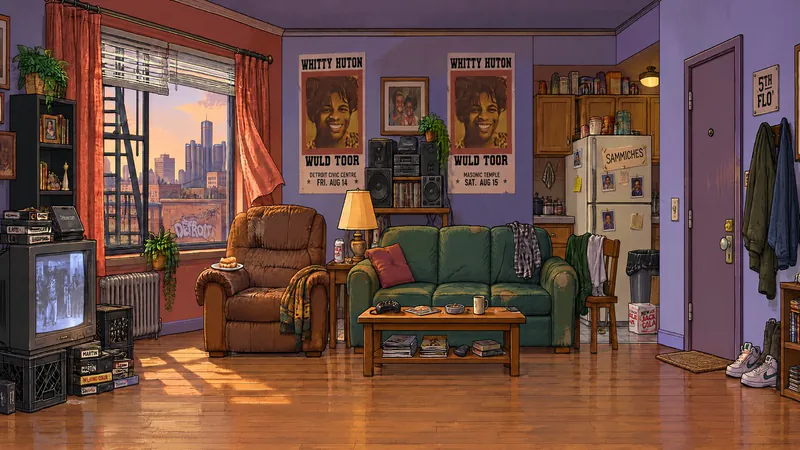
The Fifth Flo’
Bruh-Man’s upstairs apartment, linked vertically to Martin’s place.

The Corporate Party
Bob’s Corporate Party arena has an office-party room, buffet table and festive decorations.
How to Play Martin No Filter Fighters
Controls
Click Play above, click inside the game and follow the prompts to reach Select Mode. Start with Training to learn the inputs, or choose Arcade for a run of opponents. If you pick Arcade, set the CPU difficulty before confirming. Fullscreen gives the stage and controls more room.
Choose a fighter, then a different sidekick. No character can repeat in a match: the two fighters and two sidekicks must all be different. Arcade picks the opposing team for you. Choose an arena in the stage picker or use Random, then confirm to start.
Spend your first exchange learning distance. Step into range, try a light attack, then back off and block the reply. Light punch, heavy punch, light kick and heavy kick are separate inputs. Holding back or your block button stops an incoming hit, but it will not cancel a combo already in progress. Check the pause screen to see your fighter’s specials and whether that fighter has a grab.
Build a short sequence you can repeat. The in-game help calls repeated light punches during a combo Link Attack. Once that feels natural, try a launcher and follow the opponent up, or call your sidekick to keep pressure on. Practice dashes and super jumps on their own before adding them to an attack; overshooting an opponent can leave your next move aimed at empty space.
Check your meter before picking a super. Each normal super costs one bar. Crossover is a sidekick call made while blocking and costs half a bar. No Filter Finish needs three bars and both super inputs at once. You do not have to save for the biggest move every round: start with the one-bar super you can land reliably.
If you get caught in a long combo, the taunt input becomes BREAK, usable once per round. Save it for an exchange that matters. Bob is worth extra attention: dancing builds Hype for his next pizza, and the phone ring warns of This Party Is Out of Control! The developer’s advice is to jump at that cue.
After a wall, ceiling or floor break, check where both fighters landed before resuming your sequence. For a local match, choose Versus and use the separate Player 1 and Player 2 controls. To play a remote friend, choose Online Versus and connect with a room code. On mobile, rotate to landscape; with a controller, press a button once for detection and open Settings if you want different mappings.
Game Features
- Eleven playable fighters, including Bruh-Man and Bob from Marketing
- A separate sidekick pick with character-specific assists and no repeated characters in a match
- Nine themed arenas, with wall breaks plus ceiling and floor transitions
- Bob’s dancing-powered Hype, pizza attacks and phone-ring super cue
- Link Attack, once-per-round BREAK, half-bar Crossover and three-bar No Filter Finish
- Arcade, Story Mode, Training, CPU Showcase, local Versus, Online Versus and Reveal Theater
- Remappable keyboard and gamepad inputs, plus automatic landscape touch controls
Martin: No Filter Fighters Videos
Watch the creator’s full showcase and Bob from Marketing reveal. The showcase shows an earlier build with fewer fighters and stages; use the roster and controls on this page for the current game.
Martin No Filter Fighters: Practical Player Answers
Is this an official Martin Lawrence game?
No. This Martin Lawrence game is a free, non-commercial fan tribute by TDHampton Productions / Trey2k23. The creator states that it is not affiliated with or endorsed by the show’s creators, cast or networks.
Why do some guides list fewer fighters?
Those guides describe an earlier build. The current roster has eleven fighters and nine stages, with Bob from Marketing and The Corporate Party included. Bruh-Man is playable too, not just a planned addition.
How do I block or escape a long combo?
Hold away from your opponent or use your block button before a hit connects. If you are already being comboed, the taunt input becomes BREAK, available once per round. Calling your sidekick while blocking instead performs Crossover and spends half a bar.
What does Bob’s Hype meter do, and how do I avoid the phone super?
Bob builds Hype by dancing, which powers up his next pizza attack. His phone super is This Party Is Out of Control! The developer’s practical tip is to jump when the phone rings, so learn the cue before trying to trade hits through it.
Can two people play together, locally or online?
Versus supports two local players with separate keyboard inputs. Online Versus connects friends with a room code. Pick four different characters across the two fighters and their sidekicks, then use Settings to adjust keyboard or controller mappings if needed.
Can I play on a phone, or download the Martin video game?
Phones and tablets use automatic on-screen controls; turn the device sideways. Controllers are supported and hide the touch buttons while in use. For a desktop download, the creator offers Windows and Linux/Steam Deck packages on itch.io, separate from playing in your browser.
How can I support the creator?
If you enjoy the game, you can support the original creator on Buy Me a Coffee.