
Black Knife Simulator on Shadow Crystal Dev
Play Black Knife Simulator from Shadow Crystal Dev. Choose among five modes, adjust party gear, and practice Deltarune's Roaring Knight fight.
















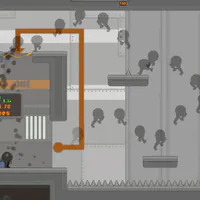
Black Knife Simulator on Shadow Crystal Dev
- Category
- Arcade Games
- Platform
- Web browser
- Mode
- Deltarune Roaring Knight boss-fight simulator
- Developer
- Radi0
Shadow Crystal Dev hosts DEVICE_KNIGHT, a browser recreation focused on Deltarune's Roaring Knight encounter rather than the full adventure. The fight features Kris, Susie, and Ralsei, with Normal, Practice, Hitless, Endless, and Single Attack modes. Before a run, players can tune the party's armor, weapons, and items; settings cover music, sound effects, graphics, and controls. The in-game Credits screen names Radi0 as the developer and credits Wander for bug fixing and playtesting. Radi0 describes the battle as the first entry in a wider series of browser boss recreations. Black Knife Simulator lets players revisit this single encounter, learn its attack patterns, or try a challenge mode.
How to Play Black Knife Simulator: Set Up the Knight Fight
Controls
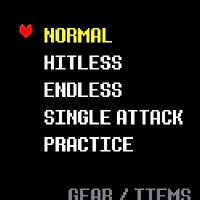
Choose Normal for the main encounter, or pick Practice, Hitless, Endless, or Single Attack for a different way to approach the battle. Use Gear / Items to adjust the available armor, weapons, and items before you begin. The battle screen shows Kris, Susie, and Ralsei with their HP and party commands. Select an action, then watch the Roaring Knight's attack pattern and navigate the fight as it unfolds. The encounter follows an attack-by-attack recreation of the original patterns and timing. Use Settings to review music, sound effects, graphics, and controls. The mode list makes it easy to switch from the standard encounter to focused practice or a higher-pressure challenge.
Game Features
- Choose Normal, Practice, Hitless, Endless, or Single Attack modes
- Adjust armor, weapons, and items in the Gear / Items area
- Follow a party battle with Kris, Susie, and Ralsei
- Study attack patterns recreated around the Roaring Knight encounter
- Change music, sound, graphics, and control settings
- Use on-screen Z / X buttons alongside keyboard controls
Roaring Knight Gameplay Videos & Walkthrough Guides
Watch dedicated community gameplay footage of the browser battle before choosing a mode.
Roaring Knight Fight Questions
Which battle modes can I choose?
Normal presents the standard encounter; Practice lets you revisit the fight, while Hitless, Endless, and Single Attack set different challenge scopes.
Can I change the party's gear before the fight?
Yes. Open Gear / Items before starting to adjust the party's armor, weapons, and items, then begin with the setup you want to practice.
What happens in the first battle?
Kris, Susie, and Ralsei appear with HP and party commands. Pick an action, then watch the Knight's pattern and use the battle screen to respond.
Who made the Roaring Knight simulator?
Radi0 is named as developer, and Wander is credited for bug fixing and playtesting. Radi0 presents the browser fight as the opening slot in a wider boss-recreation series.
Is this the complete Deltarune game?
No. This browser experience focuses on one Roaring Knight fight. Radi0 presents it as one entry in a broader set of browser boss recreations, not the full Deltarune adventure.
Does the game have touch controls?
Yes. The Controls screen lists on-screen Z / X buttons, and the keyboard instructions show arrows for moving plus X for backing out of menus.