
Pokemon Wonderful MMO Game – Play Pokémon Wonderful in Your Browser
Play the Pokemon Wonderful MMO game online, a free pixel-art Pokémon fan adventure with catching, trainers, gyms, quests, friends and chat.
Open the official game and sign in or create a free account.
Open Pokémon Wonderful





















About Pokémon Wonderful
- Category
- Role-Playing Games
- Platform
- Web browser
- Mode
- Online pixel-art Pokémon fan RPG
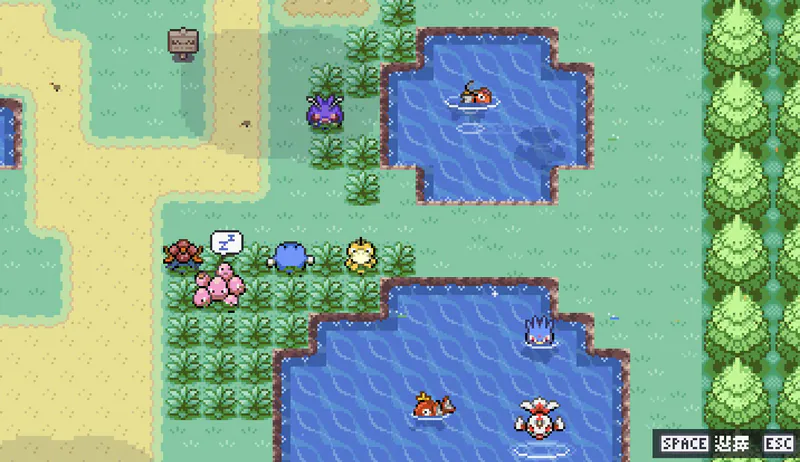
Pokémon Wonderful is a pixel-art Pokémon fan game you play online in a web browser. It opens with a FireRed-style prologue, then leads you into routes, towns, wild encounters, trainer battles, gyms, items, PC storage and story quests across multiple regions.
Sign in to keep your progress saved on the server. You can add friends, form a party or guild, and chat with other players. Indonesian, English and Traditional Chinese are available from the title screen.
How to Play Pokémon Wonderful
Controls
Click Play Now above and wait for the game to load. Choose your language, then sign in or create a free account.
Your adventure starts with Prof. Oak’s introduction. Pick a starter Pokémon and receive your Pokédex, then head out onto the first routes and towns.
Walk with WASD or the arrow keys and press Space to talk to people. Wild Pokémon and trainers start turn-based battles: press 1-4 to choose moves, 5-8 to switch Pokémon, and B to throw a Poké Ball. Open the world map with Y when you need directions.
Game Features
- Free browser Pokémon fan RPG
- Catch wild Pokémon and battle trainers
- Take on gyms across multiple regions
- Friends, parties, guilds and chat
- Progress saved online to your account
Gameplay Videos
Pokémon Wonderful FAQ
Is Pokémon Wonderful free and playable in a browser?
Yes. Pokémon Wonderful is a free pixel-art browser Pokémon fan game. You play through an online account, and your progress is saved on the server.
What are the basic keyboard controls?
Move with the arrow keys or WASD, hold Shift to run, press Space to talk, and press Enter to open chat. In battle, 1-4 selects moves, 5-8 switches Pokémon, B throws a Poké Ball, and T targets an opponent.
How do I start a new adventure?
Click Play Now, choose your language, and sign in or create a free account. Follow Prof. Oak’s introduction, pick a starter Pokémon, and receive your Pokédex before heading onto the first routes.
Does the game save online progress?
Yes. Your progress is tied to your account and saved on the server, so signing in again lets you continue your adventure.
Where can I play Pokémon Wonderful?
You can play the free browser game at https://pokewonder.online/