
WoW Forever Rotation Simulator – Practice Class Rotations in Your Browser
Use the WoW Forever Rotation simulator to choose a class and specialization, practice abilities on a target dummy and explore resources and cooldowns.



















About WoW Forever Rotation
- Category
- Simulator Games
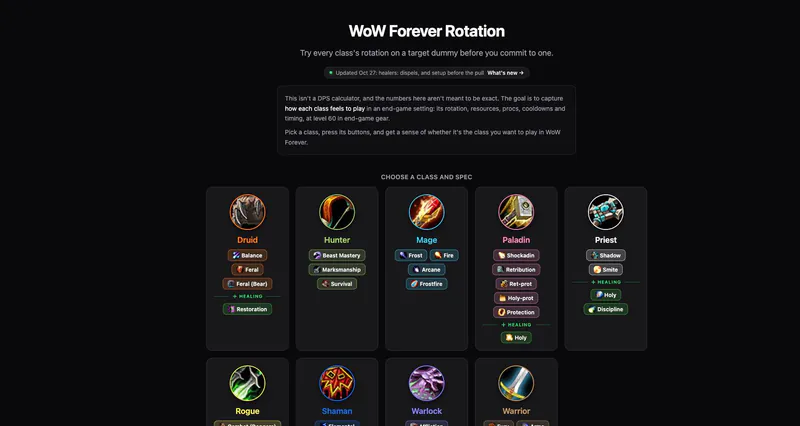
WoW Forever Rotation is a browser-based practice tool for exploring level 60 class rotations with end-game gear. It models the feel of abilities, resources, procs, cooldowns and timing against a target dummy rather than promising exact damage predictions.
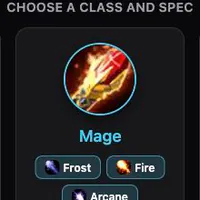
The class menu includes druid, hunter, mage, paladin, priest, rogue, shaman, warlock and warrior. Specialization choices include damage, tank and healing options where the tool lists them. The practice screen shows rotation hints and a combat log for the selected setup.
How to Play WoW Forever Rotation simulator
Controls
Choose a class and specialization on the opening screen. You enter a practice screen with a target dummy; set the target level and fight duration, and adjust raid buffs, talents, gear or the spellbook.
Start the fight with Space or an ability. Use the numbered ability bar to cast, watch your resources and cooldowns, and read the rotation hints from top to bottom. Escape stops the current cast. You can drag spells to rearrange the bar.
After experimenting, compare the damage display and combat log with the timing you experienced. The developer explicitly cautions that the numbers are not an exact DPS calculation: the purpose is to understand how a class feels before choosing it.
Game Features
- Nine class menus with multiple specializations
- Practice against a configurable target dummy
- Rotation hints and combat log
- Ability bar, resources and cooldowns
- Talents, gear, fight duration and raid-buff settings
WoW Forever Rotation FAQ
What does the WoW Forever Rotation simulator do?
It lets you try class and specialization rotations on a target dummy, with resources, procs, cooldowns and timing.
Is it an exact DPS calculator?
No. The developer says its numbers are not intended to be exact; the goal is to capture how each class feels.
How do I start a fight?
Choose a class and specialization, then press Space or cast an ability on the practice screen.
Can I change the practice setup?
The simulator provides target level, duration, raid-buff, talent, spellbook and gear controls.
Where can I see the suggested rotation?
The practice screen has a rotation panel with hints ordered from top to bottom, plus a combat log and damage display.