
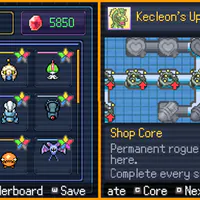
Pokemon Survivor Burst - Free Survival Roguelite
Pokemon Survivor Burst is a free survival roguelite where you guide a Pokémon through escalating waves, build a loadout from attacks and passives, trigger Burst ultimates, and evolve during each run.
Open the developer's official Eevee Expo release page to choose the current download for your platform.
Download Pokemon Survivor BurstThe mobile build is not fully tested, so compatibility and performance may vary by device.



















About Pokemon Survivor Burst
- Category
- Arcade Games
- Platform
- Windows, macOS, and mobile
- Mode
- Single-player bullet-heaven roguelite
- Developer
- ClessioTV
- Status
- Released with ongoing updates
Pokemon Survivor Burst is ClessioTV's free, non-commercial Pokémon fan game built around the fast pressure of a bullet-heaven survival run. Instead of commanding a full party in a traditional turn-based adventure, you choose one Pokémon, move through an active field, and let its attacks fire while enemy waves keep closing in. The result is a compact loop that rewards route planning, calm positioning, and thoughtful upgrade choices. The game's identity comes from the way Pokémon progression is folded into the roguelite structure. Passive Skills shape the foundation of a build, Multiple Attacks let the kit expand during a run, Burst Attacks provide a named ultimate layer, and Evolutions give a successful run a visible turning point. Build Synergies connect these systems, so two runs with the same Pokémon can develop differently depending on the bonuses offered and the decisions you accept. Long-term progression is spread across challenges, mode medals, and shops. Complete the right challenges during runs to unlock more playable Pokémon. Clear Classic and Rush with the same Pokémon to open its next mode, then use Tower rewards to grow the Kecleon permanent upgrade tree. Version 5.0 also added Generation 5 Pokémon, ten new Pokémon, more than 110 achievements, new Rush and Tower bosses, detailed run statistics, new Skills and Bonuses, and additional display controls. The official release provides Windows, macOS, and mobile packages and five language options: English, German, French, Spanish, and Portuguese. Mobile compatibility is explicitly not guaranteed, so a desktop build is the safer starting point for a first run. The game is single-player, while its in-game and external leaderboards give repeat runs a competitive score-chasing layer.
How to Play Pokemon Survivor Burst: Build, Burst, Survive
Controls
Begin with Classic Mode and stay with one Pokémon long enough to understand its kit. Before the run, open Details and read the listed stats, attacks, and passives instead of choosing only by appearance. Classic is the cleanest place to learn movement, level-up offers, Burst timing, and the shape of an ordinary enemy wave. Once the field is active, keep moving in a wide, deliberate route. Your basic attacks fire automatically, so the important decisions are where to stand, which experience pickups are safe to collect, and which upgrade makes the next minute easier. Circle around pressure rather than walking into the center of a crowd. A good build combines extra attacks with passives that help its damage, reach, survivability, or movement plan. Treat Burst as a planned answer to a problem. Hold it when the screen is manageable, then use it to open space around a boss, clear a dense ring, or recover from a dangerous route. Evolution adds another milestone to the run, so pay attention to the way your Pokémon's kit changes as the build develops. Bonus Reroll and Ban options are useful when a tempting upgrade does not support the plan you are already building. After a clear, remember that progression is tied to the Pokémon you used. A Classic clear unlocks Rush for that Pokémon, and a Rush clear unlocks Tower for that Pokémon; one species' medal does not automatically open the same mode for the whole roster. Tower adds exclusive temporary bonuses and an extra Fragment for the Kecleon permanent-upgrade shop. Endless is a later long-session option with its own shop and currency, so it is better approached after you understand a fighter's normal run. For a steady first session, complete one Classic attempt, trigger Burst deliberately at least twice, note which level-up choices changed the screen, and then inspect the result on the leaderboard. If a late run stutters, use the Options menu's device-oriented resource and display settings before assuming the download is broken. New Pokémon come from specific in-run challenges, giving the roster a second progression path beyond mode medals.
Game Features
- Free single-player Pokémon survival roguelite from ClessioTV
- Automatic attacks that let movement and positioning drive the combat
- Level-up choices built from extra attacks, passive skills, and modifiers
- Burst Attacks that provide a powerful ultimate layer for dangerous moments
- Mid-run Pokémon evolutions that make a successful build visibly develop
- Challenge-based unlocks that expand the playable Pokémon roster
- Per-Pokémon Classic, Rush, and Tower progression rather than one shared mode ladder
- Endless Mode with a dedicated shop and separate currency
- Kecleon Shop Core for permanent upgrades between runs
- Version 5.0 achievements, new Generation 5 Pokémon, bosses, Skills, Bonuses, and run statistics
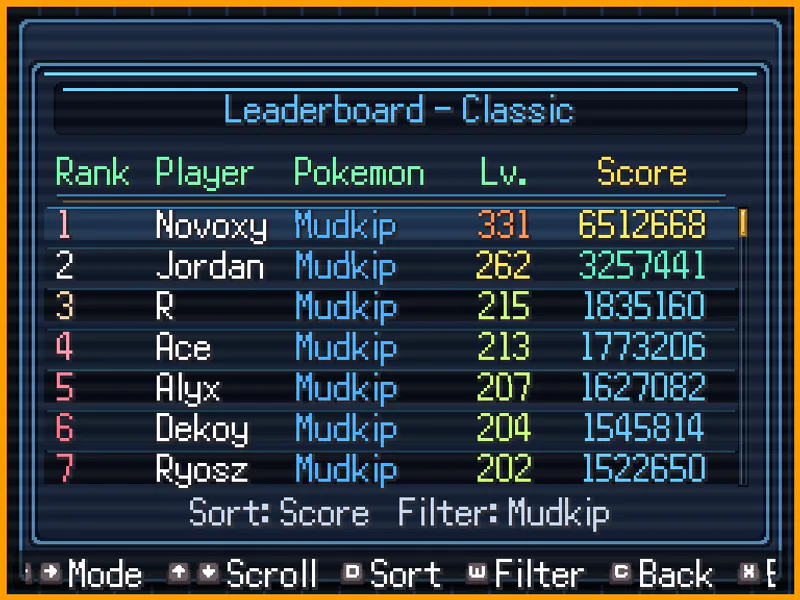
- In-game and external leaderboards for comparing scores and player runs
- Official Windows, macOS, and mobile downloads with five language options
Pokemon Survivor Burst Gameplay FAQ
How do you start a Pokemon Survivor Burst run?
Download the official package from Eevee Expo for Windows, macOS, or mobile, launch the game, inspect a Pokémon's Details screen, and begin with Classic Mode. It is a standalone application rather than a ROM, Steam title, Roblox experience, or browser game.
How does combat work in Pokemon Survivor Burst?
You steer one Pokémon around the field while basic attacks fire automatically. Defeated enemies advance the run toward level-up offers, where you choose extra attacks, passive skills, or modifiers, then combine them into a build.
How do you unlock Rush and Tower Mode?
The unlock chain is tracked separately for each Pokémon. Clear Classic with a Pokémon to unlock Rush for that same Pokémon, then clear Rush to unlock Tower; another Pokémon's medal does not skip its own requirements.
How do you unlock more playable Pokémon?
New fighters are earned through specific challenges completed with certain Pokémon during runs. This challenge path expands the roster independently from the Classic, Rush, and Tower mode medals.
Can you play Pokemon Survivor Burst on mobile?
A mobile download is provided, but the official release warns that it has not been fully tested and compatibility is not guaranteed. If performance dips, the Options menu includes device-oriented resource and display settings.
Is Pokemon Survivor Burst multiplayer?
The run itself is single-player. The competitive layer comes from comparing completed scores through the in-game leaderboard and the external leaderboard linked by the developer, not from joining a shared session.