
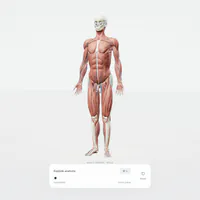
human atlas vercel - Interactive 3D Anatomy Explorer
human atlas vercel is a browser-based 3D anatomy explorer with searchable structures, selectable systems, camera presets, and an exploded view.
























About the human atlas vercel explorer
- Category
- Simulator Games
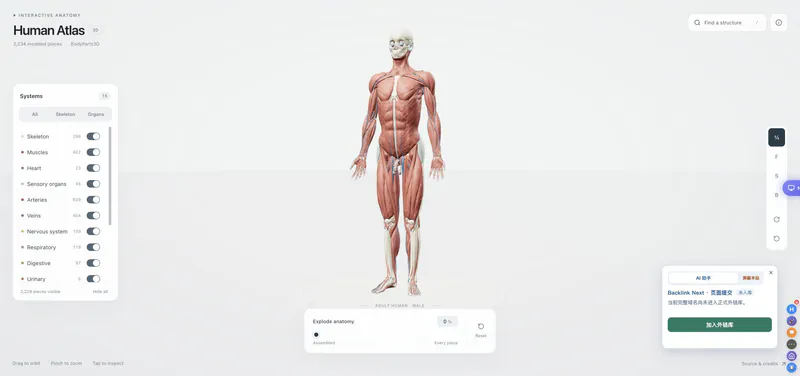
The Human Atlas Vercel demo brings the ashemag Human Atlas project into a fast interactive 3D viewer. It identifies 2,234 modeled pieces across 15 anatomical systems and lets you search named concepts instead of relying on a static diagram. The project combines selectable meshes, system filters, detail cards, camera presets, and an exploded layout. Its GitHub materials attribute the adult male reference to BodyParts3D and distinguish the MIT application code from the CC BY 4.0 anatomy data. Use it to explore relationships and terminology at your own pace.
How to Play the human atlas vercel explorer
Controls
Start with the assembled adult anatomy model, orbit around it, and use the system buttons to isolate the layers you want to study. Search a named structure such as heart, select the result, and read its detail card before isolating the selection. Use the explode slider to separate visible pieces and compare how the structures fit together. Front, side, and back presets are useful when orbiting is not enough. The viewer is an educational anatomy explorer, not a diagnostic or surgical tool.
Game Features
- 2,234 modeled anatomy pieces
- 15 selectable anatomical systems
- Searchable named structures with detail cards
- Orbit, zoom, front, side, and back camera views
- Exploded anatomy slider and isolated selections
- BodyParts3D reference with GitHub attribution
Human Atlas Vercel Gameplay Videos & Walkthrough Guides
See the searchable anatomy viewer and its exploded-view interaction in a short demo.
Human Atlas Vercel Questions
What is the human atlas vercel demo?
It is a live 3D anatomy explorer based on the ashemag Human Atlas project, with 2,234 modeled pieces and 15 anatomical systems.
How can I find a specific body part?
Open Search anatomy, type a named structure, and select a result to read its description, atlas reference, and selected-piece count.
Which systems can I turn on or off?
The viewer includes layers such as Skeleton, Muscles, Heart, Arteries, Veins, Nervous system, Respiratory, Digestive, and more anatomical systems for comparison.
What does the exploded view show?
The explode slider separates visible pieces so you can study how structures are arranged, and a selected structure can be isolated for a closer look.
Is this a medical diagnosis tool?
No. It is an educational explorer using an adult male BodyParts3D reference, not a diagnostic or surgical guidance system for real-world decisions.