

Drako Sensi - DPI & Mobile Sensitivity Tool
Drako Sensi is a mobile DPI and sensitivity tool: choose Android or iOS, set device details and DPI, then generate a configuration preview.























About Drako Sensi
- Category
- Mobile Tools
- Platform
- Web browser
- Mode
- Mobile DPI and sensitivity configuration tool
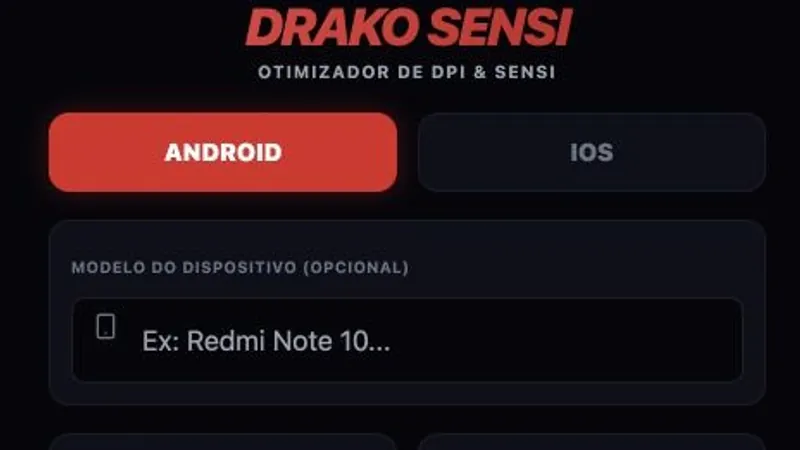
Drako Sensi is an interactive browser tool for configuring mobile sensitivity and DPI. Choose Android or iOS, optionally enter a device model, and select hardware presets before generating a preview. The preview shows sensitivity and device-setting categories, but it does not name a particular supported game or verify an FPS improvement.
How to Use Drako Sensi: Build a Configuration Preview
Controls
Choose a platform first. Add a device model if useful, then select RAM and storage presets and set the DPI slider to a value in its displayed range. The observed starting profile showed 4 GB RAM, 128 GB storage, and 411 DPI. Select Generate Configuration and wait for the processing stages to finish. The result is labeled as a preview and groups values under in-game sensitivity, device adjustments, and headtrick functions. The visible controls do not identify a specific supported shooter.
Game Features
- Android and iOS platform selectors
- Optional device-model field with RAM and storage presets
- Custom DPI slider with a visible 320-960 range
- Generated preview grouped into sensitivity, device, and headtrick settings
- Browser-based form that generates a preview without a game account
Drako Sensi Configuration FAQ
Does Drako Sensi offer Android and iOS profiles?
Yes. Choose either Android or iOS first, then set the available device details, RAM and storage values before generating a preview.
Do I have to enter my phone model?
No. The device-model field is marked optional. You can still choose a RAM preset, storage preset and DPI value without filling it in.
What DPI values can I choose?
The custom DPI slider displays a range from 320 through 960. Its observed starting value was 411, but that is only the initial setting.
What appears after I generate a configuration?
A result screen appears with sections for sensitivity, device adjustments and headtrick functions. The site labels these values as previews; some entries may be locked.
Which specific game is this configuration for?
Drako Sensi does not name a supported shooter. Treat the generated values as a preview, not a verified profile for a specific title.