
DayZ Nasdara Map – Interactive Loot & Location Guide
Use the DayZ nasdara map to search locations, loot tiers, military areas, helicopter crash sites, water sources, and plan routes across the terrain.




















Plan Routes Across the Nasdara Terrain
- Category
- Mobile Tools
- Platform
- Web browser
- Mode
- Interactive DayZ location and loot map
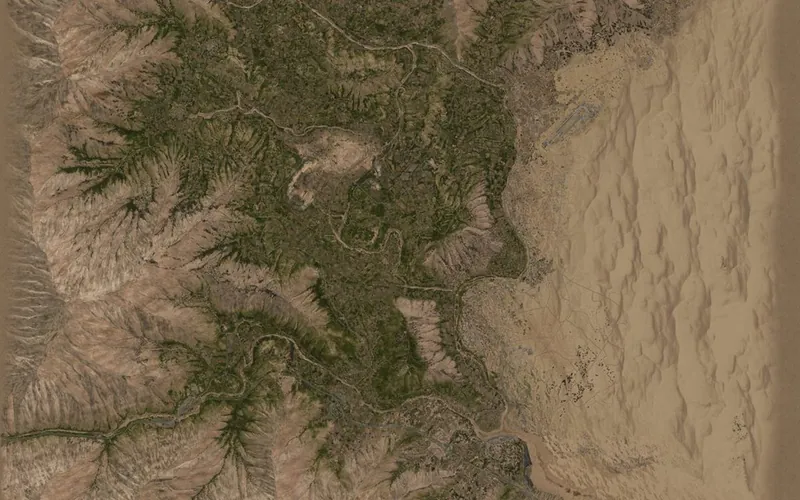
The DayZ Nasdara map is an interactive companion for locating terrain features and planning routes. Its page labels the map Nasdara 1.30 and offers satellite and in-game paper imagery, search, loot filters, coordinate lookup, and tools for marking or measuring locations.
The map lists buildings by type and loot tier alongside military bases, helicopter crash sites, vehicle spawns, possible water sources, underground tunnels, and bunkers. You can measure a distance, toggle the grid, place a ping, draw a route or area, and share those markings with a group. Some buildings also have 3D previews, and the map includes in-game photo dots and a mission-file loader.
DayZ’s Badlands announcement describes Nasdara as an arid terrain with abandoned Middle Eastern-style cities, military sites, oil infrastructure, heat, drought, and water scarcity. That setting makes water and route planning useful context when you are preparing a server run.
This nasdara map is a community tool, not a playable copy of DayZ. Use it to plan routes and find points of interest, then launch DayZ through your own game client.
How to Use the DayZ Nasdara Map
Controls
Click Play Now above to open the interactive map. The embedded map is a location tool for DayZ; it does not launch the survival game.
Search for an item, building, named place, or coordinate, then use the map filters to narrow locations by category or loot tier. The map lists military bases, helicopter crash sites, vehicle spawns, possible water sources, tunnels, and bunkers.
Use M to measure distance and G to show or hide the grid. Alt-click to ping a spot, or draw routes and areas when you are planning a path with a group. Switch the map imagery and inspect the available 2D/3D previews and in-game photo dots for more context.
If you manage a community server, the site also offers mission-file loading and group-sharing options. Check the selected map layer and filters before relying on a location marker for a route.
Game Features
- Search by item, building, place name, or coordinates
- Loot filters organized by location and tier
- Markers for military sites, crash areas, vehicles, water, tunnels, and bunkers
- Distance measuring, grid toggle, pings, and shareable route or area drawings
- Satellite and in-game paper imagery with 2D/3D building previews
DayZ Nasdara Map FAQ
Where can I open the DayZ Nasdara map?
Click Play Now above to open the nasdaramap.com interactive map. It is a route and loot reference for DayZ; the map page does not launch the survival game.
What locations and loot information can I find?
Search accepts items, buildings, places, and coordinates. Filters and map markers cover loot tiers, military bases, helicopter crash sites, vehicle spawns, possible water sources, tunnels, and bunkers.
Can I measure routes or mark locations?
Yes. Press M to measure distance, use the grid toggle with G, and Alt-click to ping a spot. You can also draw routes and areas to share with a group.
Can I play DayZ from this map page?
No. It is a separate map utility. Use it to plan a route or locate points of interest, then launch DayZ through your own game client.
Does the map have 2D and 3D views?
The map offers satellite and in-game paper imagery, plus a 2D map and 3D previews for supported buildings. Switch layers to compare terrain and inspect specific structures.