Buddy Revival Online – Play and Customize Your Buddy
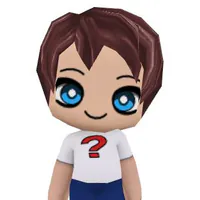
Buddy Revival Online lets you dress up two 3D buddies, rotate the preview, try mood and paired poke animations, and copy or apply a look with a Buddy code.





About BuddyRevival
- Category
- Simulator Games
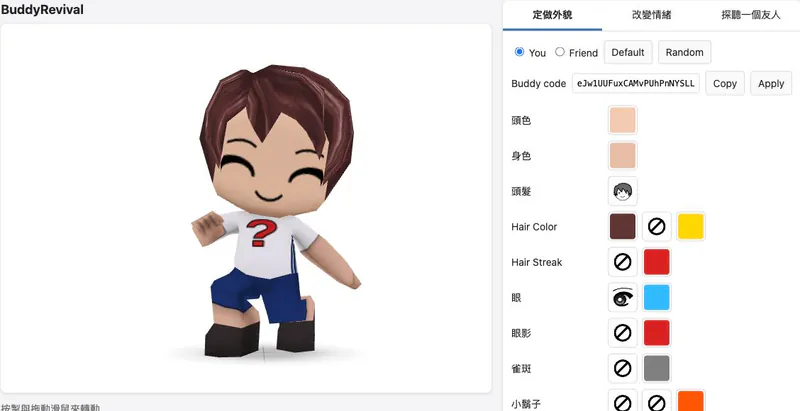
Buddy Revival Online recreates the dress-up and animation side of BuddyPoke in a browser. This revival focuses on the characters rather than rebuilding the original social networks.
The wardrobe lets you edit both your buddy and a friend. Options vary with the selected clothing: for example, some colour or pattern choices only appear when the corresponding item is worn. A 3D preview turns as you drag, making it easier to inspect a combination from another angle.
The project documentation lists 39 moods and 28 paired poke animations. A Buddy code lets you copy or apply an appearance, while the browser saves looks locally. There is no restored friends list: the Friend option is a second character to customize for the paired scenes.
How to Play Buddy Revival Online
Controls
Click Play Now above to open the character studio. Choose You or Friend, then pick hair, clothes, colours and accessories. Drag the character to check the outfit from another angle.
Choose Change Mood to animate one buddy, or Poke a Friend to see both characters in a shared animation. Use Default to restore the starting look, or Random for a surprise combination. Copy the Buddy code to keep a look, or paste a code and select Apply to wear it.
Game Features
- Customize two 3D buddies with clothing, hair and colours
- Drag the character preview to rotate it
- Try mood animations for one buddy and paired poke scenes for two
- Copy and apply a Buddy code to keep or load an appearance
- Default restores the starting look; Random creates a surprise combination
BuddyRevival FAQ
Where can I play Buddy Revival Online?
Click Play Now above to open the studio, then choose a wardrobe option to start.
Can I customize a friend too?
Yes. Select Friend in the wardrobe to edit the second buddy before choosing a paired poke animation.
How do I save or share a look?
Copy the Buddy code for the current appearance. Paste a code and choose Apply to load that look; the browser also saves looks locally.
What are moods and pokes?
Moods animate one buddy; pokes put two buddies together for a short shared animation. The documentation lists 39 moods and 28 pokes.
Does it restore the original social network?
No. The project recreates customization and animations, but does not include the original friend lists or network APIs.